Organisation, people and time policy
Set the structure and rules that give every attendance calculation a clear owner, location and schedule context.
 Genius4uOnline
Workforce operations / PROFESSIONAL SOFTWARE
Workforce Time, Kept Accountable.
Register or sign in before confirming your software order. Confirmation creates a one-time unpaid invoice. No payment is collected automatically.
Software payment is by bank transfer only. Your invoice remains unpaid until funds are received and verified.
BUILT AROUND YOUR OPERATIONS
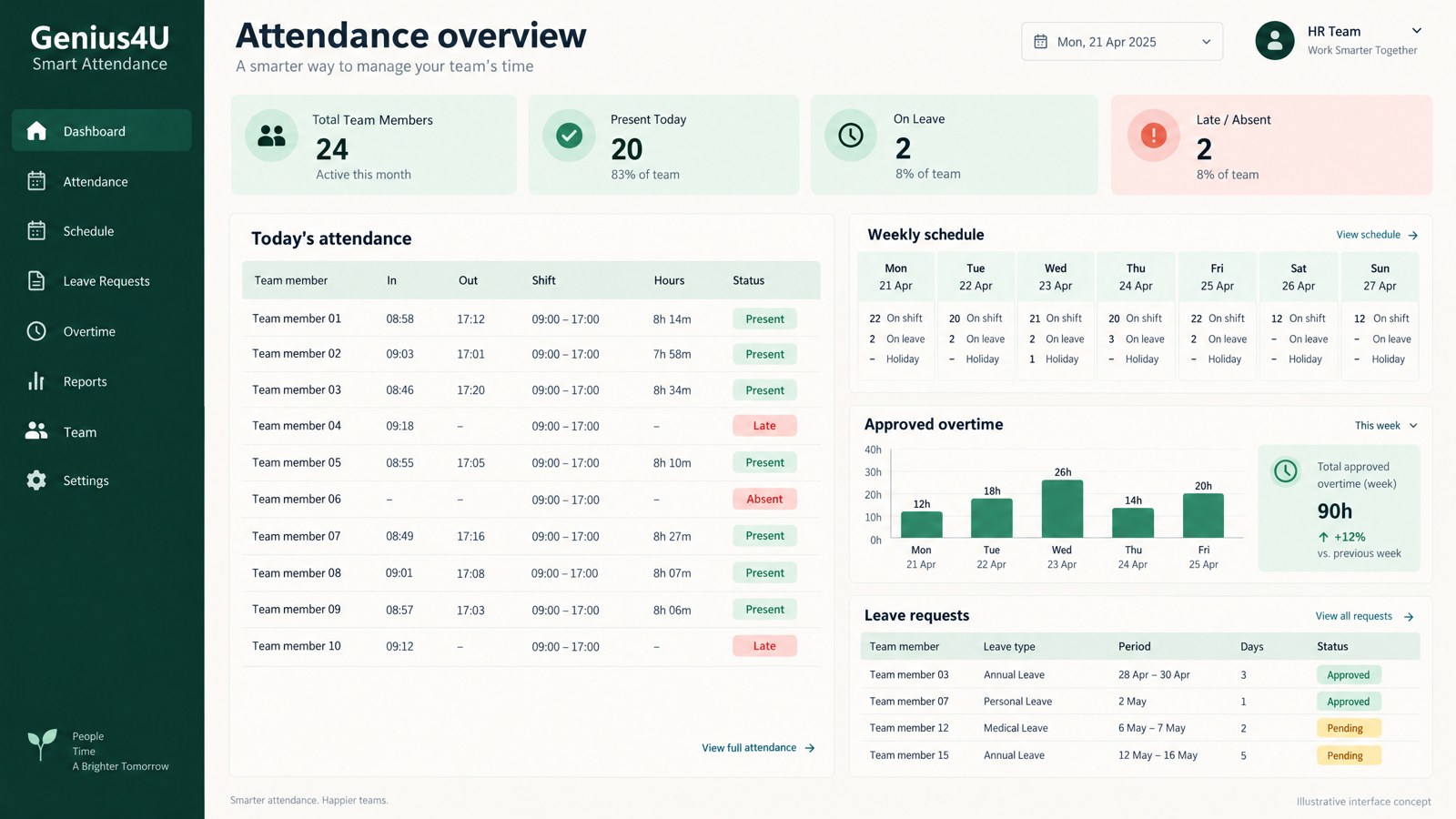
Smart Attendance & Workforce records governed attendance across companies, branches and teams. It manages varied schedules, immutable punch events, exceptions, leave, approved overtime and payroll-ready outputs, while keeping corrections reasoned, approved and auditable through role-separated workforce workflows.
Set the structure and rules that give every attendance calculation a clear owner, location and schedule context.
Plan expected work before attendance is assessed, including patterns that cross days, locations and time zones.
Collect attendance events from agreed sources while keeping the device record independent from calculated attendance and later corrections.
Turn attendance anomalies into accountable requests, decisions and records instead of unreviewed manual time changes.
Convert governed attendance into approved time inputs while preserving the review path from exported totals back to daily records.
Role-based dashboards and exports show attendance conditions, approvals and payroll readiness while keeping report access separate from record-changing authority.
WORKFLOW AT A GLANCE
Open the roster: At the start of the day, the system applies the employee's approved shift, branch, policy and supervisor responsibility.
Receive entry event: A compatible terminal submits EVT-8A31 with device ID, card ID, timestamp and event type. The event is retained after validation.
Calculate attendance: The application associates eligible events with the active shift and presents attended time, late status or a missing-event exception.
Raise a correction: If an exit punch is missing, the employee submits CR-104 with the date, requested exit time and reason.
Review responsibility: The assigned manager compares the request with schedule and available event history, then records an approval or rejection.
Refresh derived time: An approved outcome updates calculated attendance while the original entry event and correction decision remain linked.
Prepare period input: After required reviews, the daily result joins the payroll period as approved hours, late time, leave or overtime inputs.
Product scope, deployment and integrations are agreed before purchase. The software supports professional workflows; it does not replace qualified clinical or administrative decisions.
THIS PROGRAM'S RELEASE NOTES
No public release notes have been published for this program yet. Ask our team for current version and delivery details.