Medicine records and location map
Build an accurate item catalogue and physical stock map before transactions are posted, searched or counted.
 Genius4uOnline
Pharmacy operations / PROFESSIONAL SOFTWARE
Clear stock. Safer choices.
Register or sign in before confirming your software order. Confirmation creates a one-time unpaid invoice. No payment is collected automatically.
Software payment is by bank transfer only. Your invoice remains unpaid until funds are received and verified.
BUILT AROUND YOUR OPERATIONS
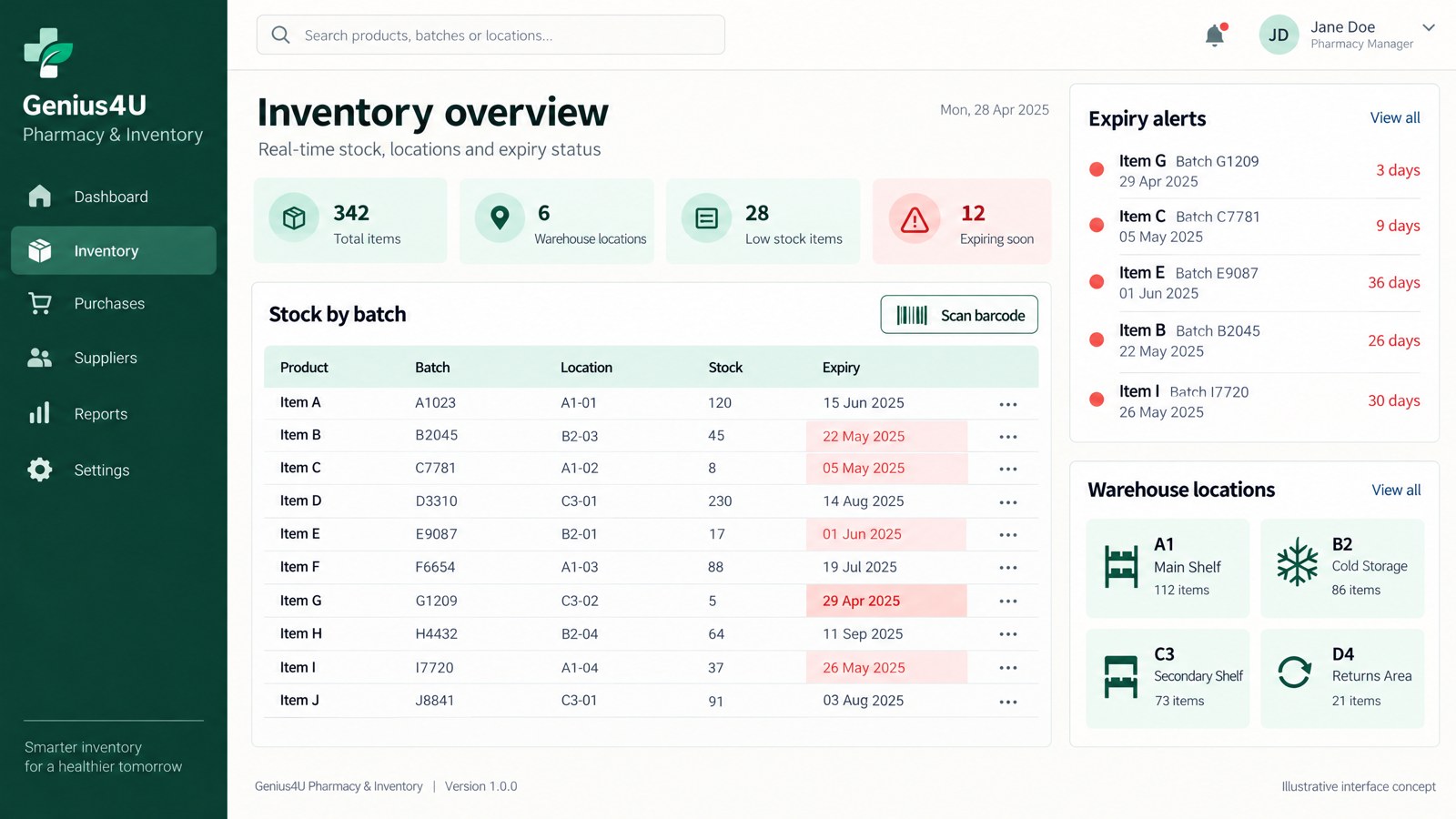
Pharmacy & Inventory organises medicine records, location-led stock, batches, expiry control and traceable movements. Pharmacy teams can manage purchasing, receiving, dispensing, returns, recalls and inventory review through controlled workflows, with configurable alerts, role-based access, reports and device interfaces agreed for the operating scope.
Build an accurate item catalogue and physical stock map before transactions are posted, searched or counted.
Manage the usable status of every lot so routine selection, quarantine and recall handling remain visibly separate.
Turn an approved need into traceable available stock through purchase, receipt, inspection and location assignment.
Record outgoing and internal stock events against authorised prices, selected batches, locations and accountable users.
Convert transaction data into clear follow-up queues, governed reports and a durable history of corrections and approvals.
Four focused views help pharmacy, procurement, finance and supervision act on controlled information rather than disconnected totals.
WORKFLOW AT A GLANCE
Review the attention queue: The supervisor reviews low-stock, expiry and delayed-supplier alerts by branch before authorising the day’s procurement actions.
Approve the purchase need: Procurement checks PR-2048 for medicine, requested quantity, supplier and existing availability, then records the approval decision.
Receive the delivery: The receiving employee opens GR-771, scans the arriving items and enters supplier reference, lot, expiry, pack quantity and receiving time.
Inspect and assign status: Accepted batches move to the selected shelf or bin; discrepancies or concerns are recorded and routed to quarantine for supervisory review.
Process dispensing and transfers: At the service desk, authorised staff select eligible FEFO stock, apply permitted price rules and issue a receipt or transfer record.
Count selected locations: The storekeeper scans locations and batches, enters physical quantities and submits any variance without changing book stock directly.
Close exceptions: The supervisor reviews SC-091, approves or rejects a reasoned adjustment, and checks the movement audit before daily close.
Product scope, deployment and integrations are agreed before purchase. The software supports professional workflows; it does not replace qualified clinical or administrative decisions.
THIS PROGRAM'S RELEASE NOTES
No public release notes have been published for this program yet. Ask our team for current version and delivery details.