Orders and specimen identity
Order entry establishes one controlled record for the patient, requested examinations, collection requirements and the specimen identity that follows the work.
 Genius4uOnline
Laboratory operations / PROFESSIONAL SOFTWARE
Trace the specimen. Govern the laboratory workflow.
Register or sign in before confirming your software order. Confirmation creates a one-time unpaid invoice. No payment is collected automatically.
Software payment is by bank transfer only. Your invoice remains unpaid until funds are received and verified.
BUILT AROUND YOUR OPERATIONS
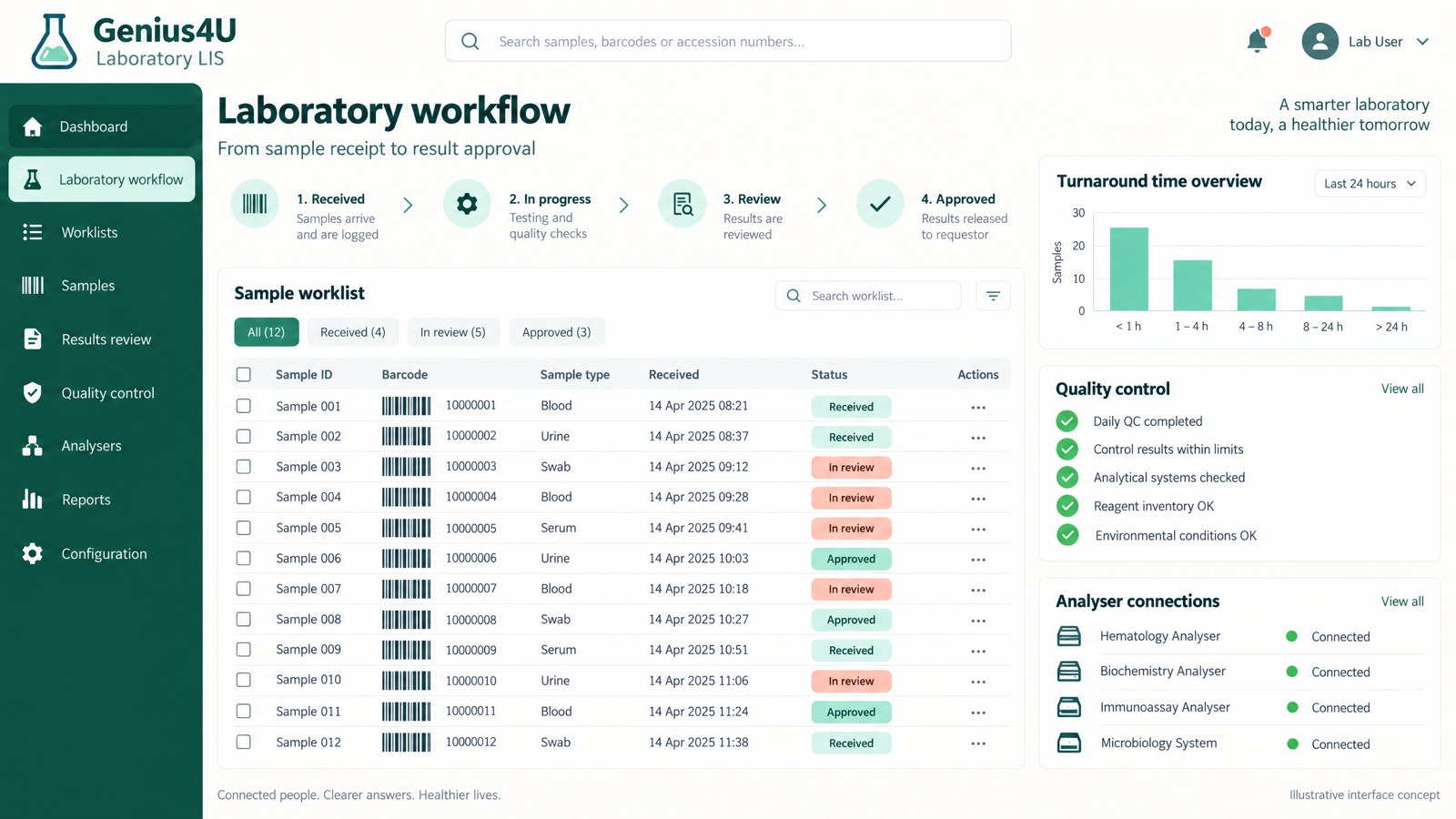
Laboratory & Analysis Management coordinates orders, barcoded specimens, collection and reception traceability, analyser worklists, controlled results, quality review, critical-result communication and specialist-approved reports. It gives laboratory teams a role-separated record of each governed transition from request to report release.
Order entry establishes one controlled record for the patient, requested examinations, collection requirements and the specimen identity that follows the work.
Collection and reception records establish who handled the specimen, when custody changed and whether the specimen is suitable for the requested work.
Compatible instrument interfaces turn authorised, received specimens into controlled worklist items and retain the technical context returned with each measurement.
Quality controls and technical review keep a result from moving forward until required checks, exceptions and communications have documented responsible actions.
The reporting workspace consolidates reviewed results for qualified specialist sign-off, controlled release and a durable history of every later amendment.
Dashboards and exports present controlled operational evidence without replacing the clinical judgement or approval assigned to qualified laboratory professionals.
WORKFLOW AT A GLANCE
Register order LAB-00481: Reception records the patient identity, requested panel, specimen type and priority, then produces barcode SP-00481-A.
Collect and identify: The collector scans SP-00481-A and records collection at 08:42, operator identity and the required custody event.
Receive and assess: Reception scans the tube, confirms order identity and suitability, then records received status or a reasoned hold or rejection.
Prepare the worklist: A technical user selects received work for the compatible instrument route and sends only authorised tests to the worklist.
Capture and review results: Returned measurements retain value, unit, device, operator context and time. QC or mapping exceptions enter the technical-review queue.
Document critical communication: Where an approved critical-result rule applies, the assigned user records recipient, contact time, method and documented outcome.
Sign and release: A qualified specialist reviews the completed record, signs it and releases the report to authorised users; later changes create an amendment history.
Product scope, deployment and integrations are agreed before purchase. The software supports professional workflows; it does not replace qualified clinical or administrative decisions.
THIS PROGRAM'S RELEASE NOTES
No public release notes have been published for this program yet. Ask our team for current version and delivery details.