Patient and chair scheduling
Build a patient file and schedule clinician and chair time with controlled visit purpose and timing.
 Genius4uOnline
Dental practices / PROFESSIONAL SOFTWARE
Organise every clinical day with clarity.
Register or sign in before confirming your software order. Confirmation creates a one-time unpaid invoice. No payment is collected automatically.
Software payment is by bank transfer only. Your invoice remains unpaid until funds are received and verified.
BUILT AROUND YOUR OPERATIONS
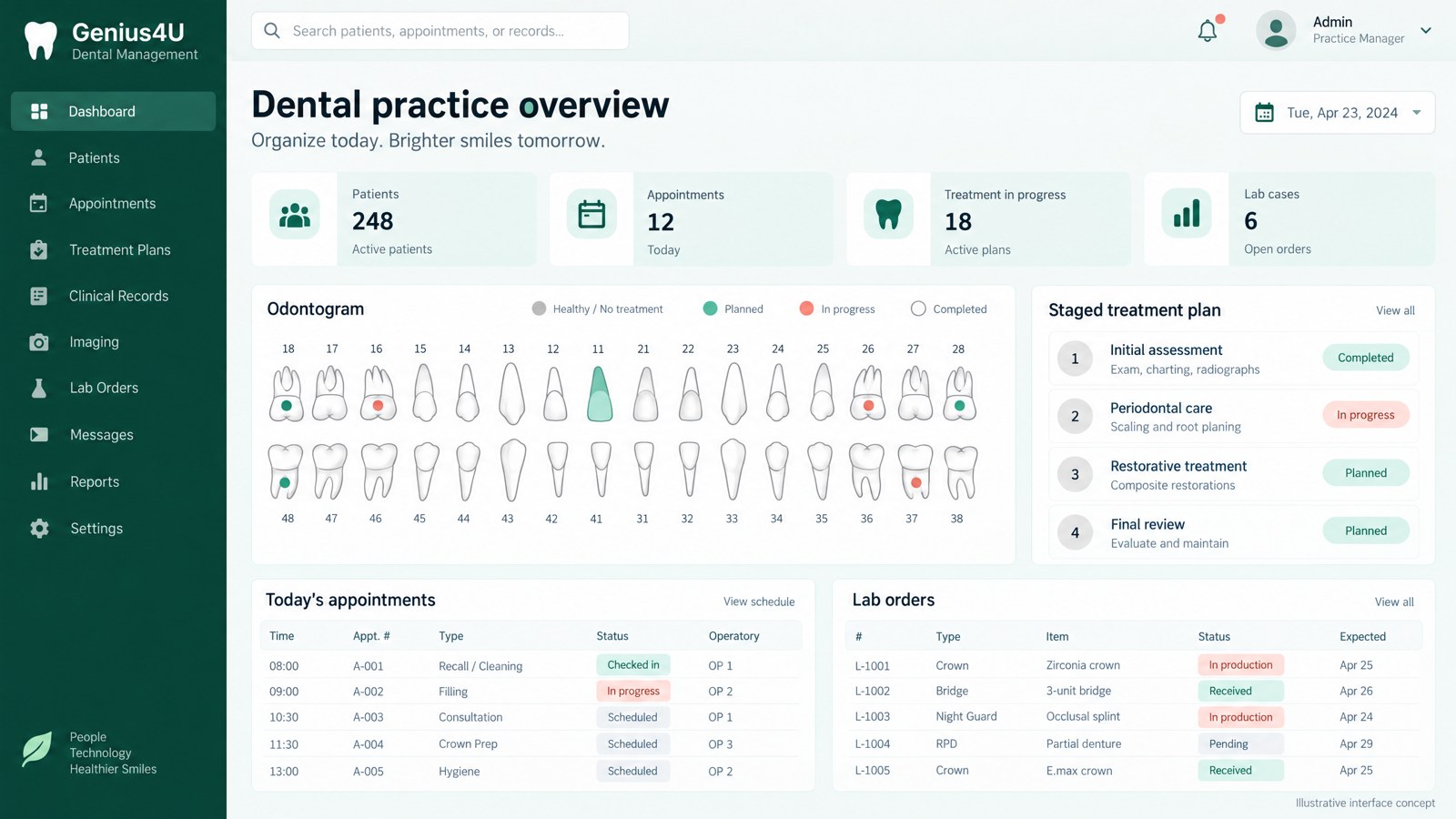
Dental Practice Management brings chair scheduling, patient histories, FDI charting, clinician-led treatment planning, consent-linked imagery, periodontal records, sterilisation registers, dental lab coordination and recall follow-up into a governed dental operations workspace for reception, clinicians, chairside teams and authorised operational administrators.
Build a patient file and schedule clinician and chair time with controlled visit purpose and timing.
Maintain a dated dental chart that distinguishes observed conditions, planned procedures and clinician-approved performed treatment for each tooth.
Keep dated clinical images and periodontal readings in consent-aware patient and encounter records for clinician review.
Keep consent-linked images and periodontal readings in patient and encounter records for clinician review.
Coordinate instrument, prosthetic-work and patient-recall registers without treating operational entries as clinical decisions.
Role-based reports expose queues and operational registers while preserving auditable source records and reasoned corrections.
WORKFLOW AT A GLANCE
Book the visit: Reception retrieves the patient file, reserves the required chair and clinician, then records the visit purpose and appointment time.
Confirm arrival: At 09:30, reception confirms identity, records arrival and moves the appointment to waiting without exposing full clinical notes.
Open the encounter: The assigned clinician opens the patient history, verifies relevant information and records the encounter under their authorised account.
Chart and assess: The clinician adds dated FDI observations, periodontal values where required and consent-linked image records for review.
Approve the plan: The clinician approves the clinical plan; authorised staff issue its linked estimate and record the discussion outcome.
Record service hand-offs: The assistant links the instrument set cycle record and, if required, creates the external laboratory order with dispatch responsibility.
Complete and recall: The clinician approves performed work, reception completes the visit and the system records a configured recall due date and owner.
Product scope, deployment and integrations are agreed before purchase. The software supports professional workflows; it does not replace qualified clinical or administrative decisions.
THIS PROGRAM'S RELEASE NOTES
No public release notes have been published for this program yet. Ask our team for current version and delivery details.